
Freelance Rate Calculator & Project Pricing Kit — Stop Undercharging
Freelance rate calculator spreadsheet in XLSX format. Start from the take-home you want and out comes an hourly and day rate you can defend.
Secure checkout, receipts and file delivery are handled by Etsy or Gumroad.
For a refund, contact us or the original store within 30 days. The terms offered with your purchase continue to apply.
- Delivered as an XLSX file for compatible spreadsheet apps
- Sheet protection is supplied in the XLSX; conversion behavior can differ
- Yours to keep, for personal and business use
Freelance rate calculator spreadsheet in XLSX format, for the moment you realise a good year left nothing after tax.
Most freelancers set a rate by guessing what the market pays. This works the maths the right direction: start from the take-home you actually want, gross up for tax and overhead, divide by the hours you can realistically bill, and out comes a floor rate you can defend. You type in one tab and everything else fills itself in.
WHAT’S INSIDE — 4 TABS
- ✓ Your Rate — income goal, weeks off, hours per week, utilisation, tax rate and overhead. Out comes your required hourly and day rate, plus a sensitivity table at 50, 60 and 70 percent utilisation, so you can see what a slow quarter really costs.
- ✓ Project Quote — estimated hours, complexity and rush multipliers from dropdowns, and pass-through expenses. You get a suggested quote, and if you round the final price below your floor the margin check turns red before the client ever sees the number.
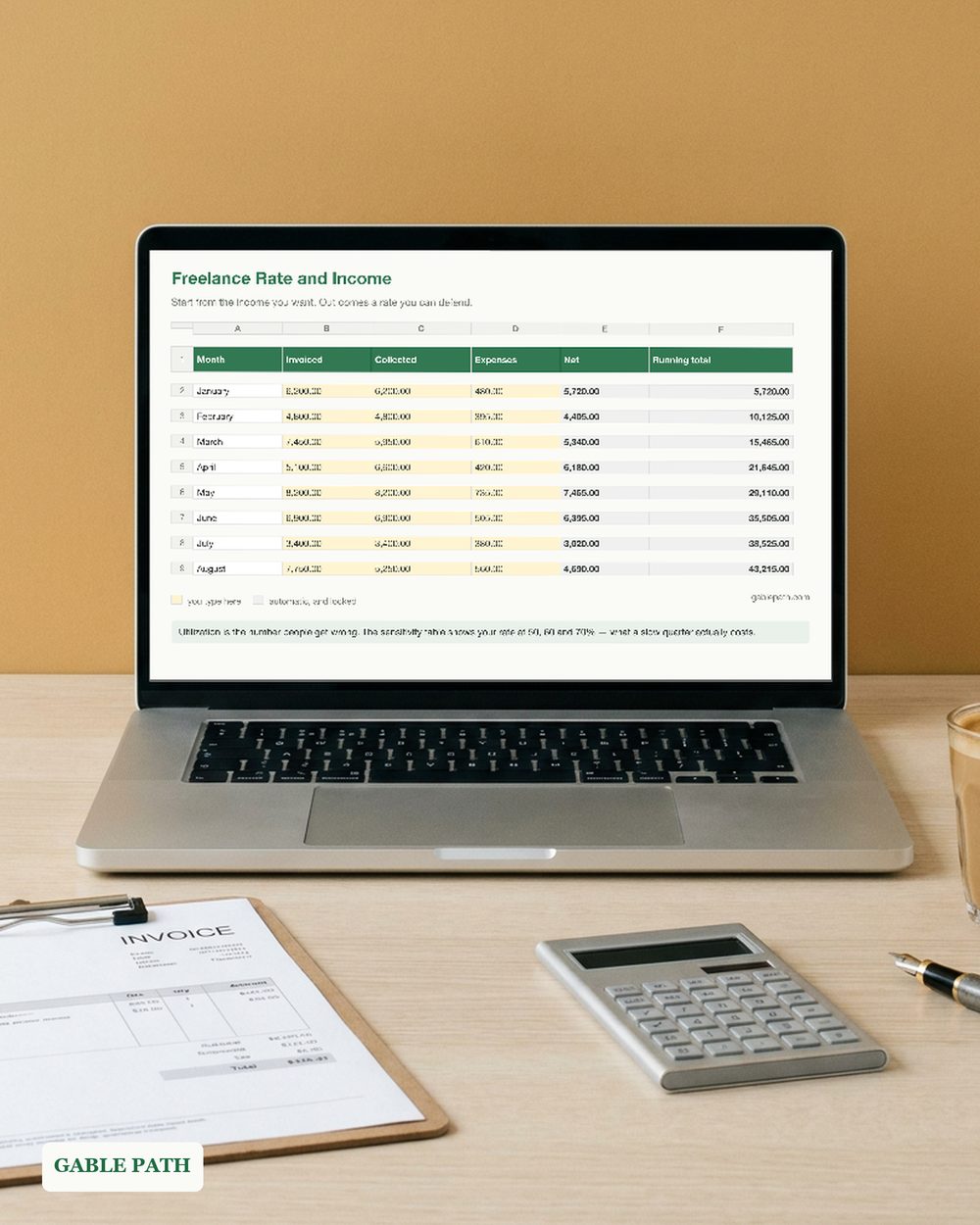
- ✓ Income Tracker — twelve months of invoiced, collected, expenses and billable hours, with net, running total, utilisation and yearly totals computed for you.
- ✓ Start Here — plain-English instructions, the exact maths explained, and the colour legend: yellow means type, grey means computed.
KEY FEATURES ✓ Real formulas, no macros, nothing to enable. ✓ Locked formulas. Grey cells are protected and every yellow input stays fully editable; no password is set. ✓ The margin check is the point — it catches the discount you were about to give away. ✓ Quickstart instructions built into the Start Here tab.
PERFECT FOR freelancers and consultants setting a rate for the first time, agencies quoting fixed-price work, designers, developers, writers and virtual assistants.
PLEASE NOTE. Digital download; nothing is shipped. A pricing tool, not financial advice — your tax rate and overhead are cells you set, so the answer is yours rather than a number baked into the file.
The listing images use demonstration names and numbers. The download is the reusable template, with entry rows ready for your own work.
WORKS WITH XLSX format. Excel and Google Sheets behavior has not been independently verified. Google Sheets: import the .xlsx with File > Import > Upload. This conversion has not been independently verified; keep the original as a backup and spot-check key totals and times. Use a larger screen when reviewing full tables.
HOW TO DOWNLOAD
- Buy. Delivery is instant — nothing ships.
- Open the marketplace download page after checkout. Account buyers can also reopen the order from their purchases or library; guest buyers use the receipt-email link. If the app shows no download button, use a browser.
- Download the workbook and the 3-page quickstart PDF.
- Fill in the yellow cells. You are running. SUPPORT. The address currently monitored for Lark Paper questions is [email protected].
Not what you expected? Message us within 30 days.
AI DISCLOSURE. AI tools helped build the formulas, layout and wording.
Add to cart and start tonight.
What's included
- freelance-rate-kit.xlsx — XLSX spreadsheet
- quickstart.pdf — quickstart (3 pages), download to first entry
Questions
How do I get the file?
It is an instant download. Checkout happens on Etsy or Gumroad, and the download link is on the confirmation page and in your emailed receipt. Nothing ships; there is nothing to wait for.
What do I need to open it?
Supplied as XLSX. Native Microsoft Excel and Google Sheets behavior has not been independently verified. Keep the original as a backup, and spot-check key totals and times in any imported or converted copy.
Can I change it to suit my business?
Use the marked input cells and follow this workbook's setup guide. Keep a clean original before changing formulas or sheet structure. Renaming categories or sheets can affect formulas; check the results after making changes.
Can I use this for client or business work?
Yes — use it in your own business or personal projects as much as you like. The one thing you cannot do is resell or redistribute the file itself.
What if it isn't right for me?
Contact us or request a refund through your Etsy or Gumroad order within 30 days of purchase. The terms offered with your purchase continue to apply, including any stated 30-day refund promise. See Purchases and refunds for the process.
Get the next template
One short email when a new spreadsheet or template ships — plus the occasional tip for getting more out of the ones you already have. Nothing else.
Newsletter signup is temporarily unavailable while browser verification is configured. The free wedding budget example remains available without signup.