
Quarterly Tax Spreadsheet 1099 Self Employed, Estimated Tax Calculator, Set Aside Payment Tracker, Excel Google Sheets Template
Quarterly tax spreadsheet for 1099 and self employed filers in XLSX format. Built on the real uneven IRS periods, so June is never short.
Secure checkout, receipts and file delivery are handled by Etsy or Gumroad.
For a refund, contact us or the original store within 30 days. The terms offered with your purchase continue to apply.
- Delivered as an XLSX file for compatible spreadsheet apps
- Sheet protection is supplied in the XLSX; conversion behavior can differ
- Yours to keep, for personal and business use
Quarterly tax spreadsheet 1099 and self-employed filers can trust, in XLSX format, built on the real IRS periods rather than four even quarters.
The periods are uneven and always have been: Jan 1 to Mar 31, Apr 1 to May 31, Jun 1 to Aug 31, Sep 1 to Dec 31. Split the year into four even quarters, as most templates quietly do, and you underpay in June and overpay in January — and the penalty is charged per period, so a big January payment does not undo a short June one. Every window here is the real one.
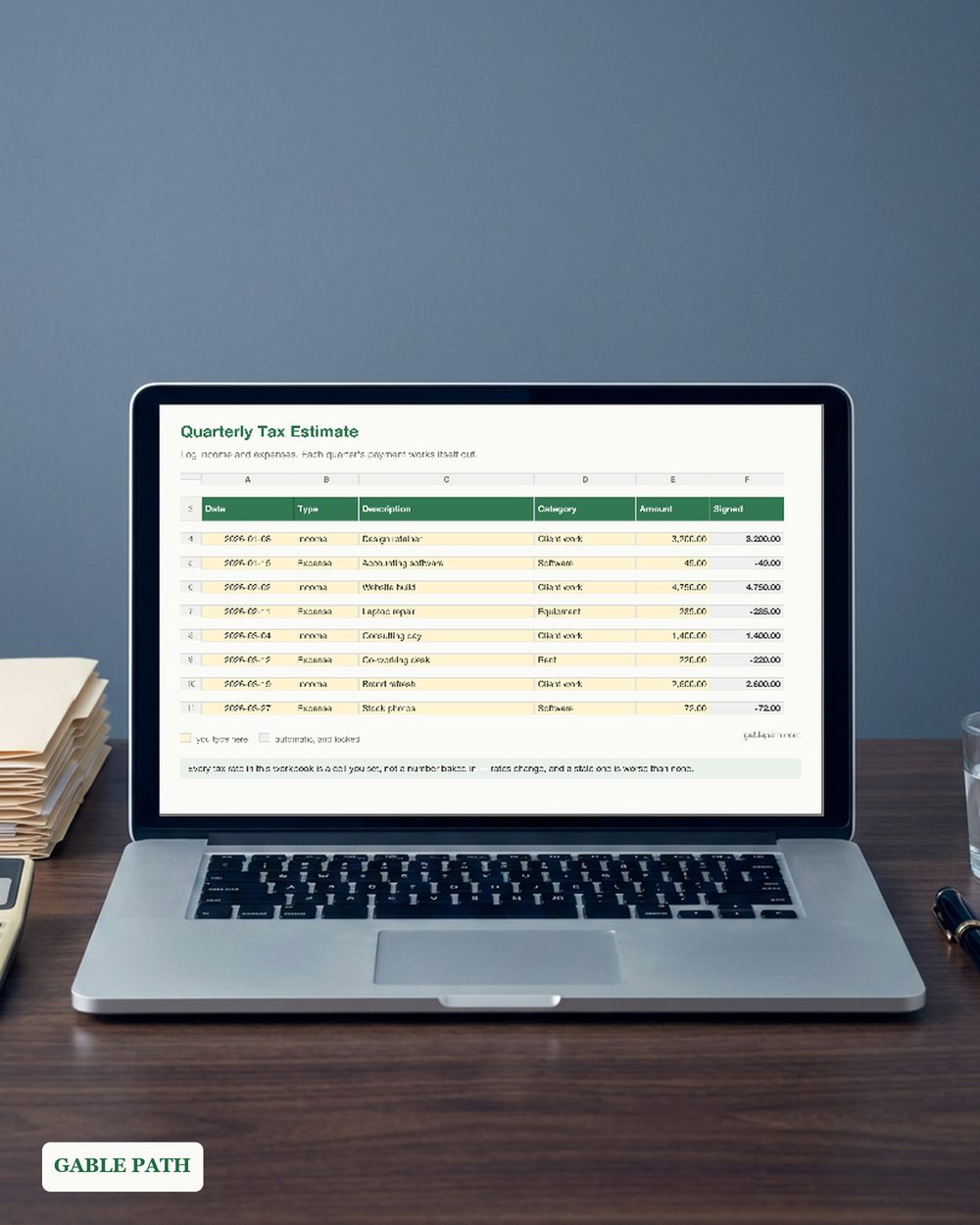
You type in one tab and everything else fills itself in: one row per payment in, one row per expense out.
WHAT’S INSIDE — 4 TABS
- ✓ Money In and Out — 400 rows with dropdowns for income or expense and eleven categories. The only tab you touch day to day.
- ✓ Quarterly Estimate — the four real periods side by side: income, expenses, net profit, self-employment tax, income tax, what to send, the due date, what you paid, the balance owing.
- ✓ Payments — every payment and its confirmation number, matched back to the period it covers.
- ✓ Read Me First — profit so far, the year’s estimated tax, and what share of every dollar to set aside.
KEY FEATURES ✓ The set-aside number, from your own figures, so you move the money the day a payment lands. ✓ A loss period sends nothing — a zero, never a negative. ✓ No tax rate is printed in the file. The self-employment rate, the net earnings factor, your federal estimate and your state rate are four cells you set, with a pointer to irs.gov. ✓ Locked formulas. Grey cells are protected, yellow cells are yours, no password is set. ✓ 5-page quickstart PDF with the period table and due dates.
PERFECT FOR freelancers, 1099 contractors, sole proprietors and side-business owners paying estimated tax.
PLEASE NOTE. Digital download; nothing ships. An estimating tool, not tax advice — it knows nothing of a spouse’s withholding, your deductions or the safe-harbour rules.
The listing images use demonstration names and numbers. The download is the reusable template, with entry rows ready for your own work.
WORKS WITH XLSX format. Excel and Google Sheets behavior has not been independently verified. Google Sheets: import the .xlsx with File > Import > Upload. This conversion has not been independently verified; keep the original as a backup and spot-check key totals and times. Use a larger screen when reviewing full tables.
HOW TO DOWNLOAD
- Buy. Delivery is instant — nothing ships.
- Open the marketplace download page after checkout. Account buyers can also reopen the order from their purchases or library; guest buyers use the receipt-email link. If the app shows no download button, use a browser.
- Download the workbook and the 5-page quickstart PDF.
- Fill in the yellow cells. You are running.
SUPPORT. The address currently monitored for Lark Paper questions is [email protected].
Not what you expected? Message us within 30 days.
AI DISCLOSURE. AI tools helped build the formulas, layout and wording.
Add to cart and start tonight.
What's included
- quarterly-tax-estimate.xlsx — XLSX spreadsheet
- quickstart.pdf — quickstart (5 pages), download to first entry
Questions
How do I get the file?
It is an instant download. Checkout happens on Etsy or Gumroad, and the download link is on the confirmation page and in your emailed receipt. Nothing ships; there is nothing to wait for.
What do I need to open it?
Supplied as XLSX. Native Microsoft Excel and Google Sheets behavior has not been independently verified. Keep the original as a backup, and spot-check key totals and times in any imported or converted copy.
Can I change it to suit my business?
Use the marked input cells and follow this workbook's setup guide. Keep a clean original before changing formulas or sheet structure. Renaming categories or sheets can affect formulas; check the results after making changes.
Can I use this for client or business work?
Yes — use it in your own business or personal projects as much as you like. The one thing you cannot do is resell or redistribute the file itself.
What if it isn't right for me?
Contact us or request a refund through your Etsy or Gumroad order within 30 days of purchase. The terms offered with your purchase continue to apply, including any stated 30-day refund promise. See Purchases and refunds for the process.
Get the next template
One short email when a new spreadsheet or template ships — plus the occasional tip for getting more out of the ones you already have. Nothing else.
Newsletter signup is temporarily unavailable while browser verification is configured. The free wedding budget example remains available without signup.