
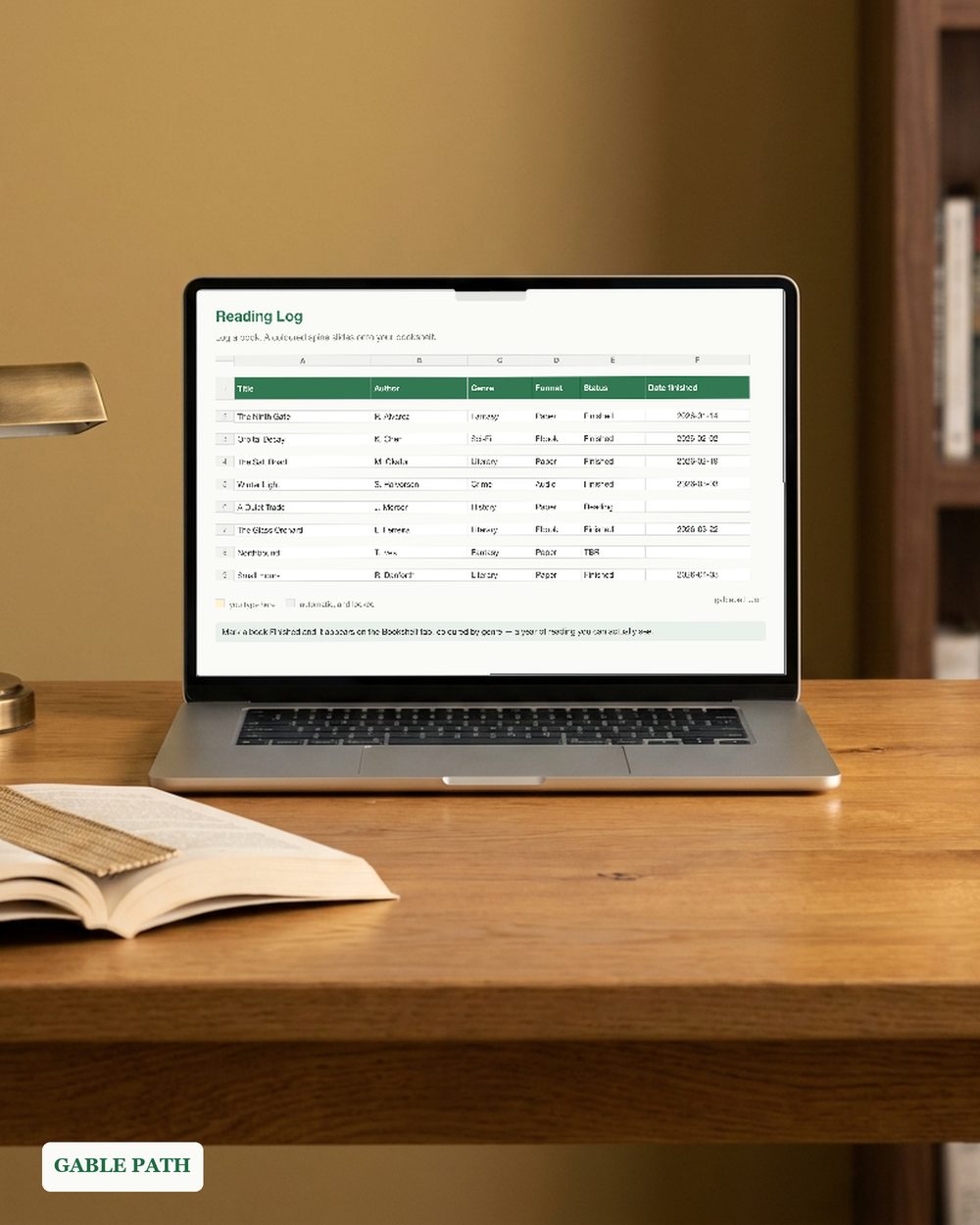
Reading Tracker Bookshelf Spreadsheet, Virtual Bookshelf Book Log, Reading Stats TBR and Series Tracker, Excel Google Sheets Template
Reading tracker with a virtual bookshelf in XLSX format. Mark a book finished and a coloured spine slides onto the shelf on its own.
Secure checkout, receipts and file delivery are handled by Etsy or Gumroad.
For a refund, contact us or the original store within 30 days. The terms offered with your purchase continue to apply.
- Delivered as an XLSX file for compatible spreadsheet apps
- Sheet protection is supplied in the XLSX; conversion behavior can differ
- Yours to keep, for personal and business use
Reading tracker bookshelf spreadsheet in XLSX format. Your reading year, on one shelf.
You type in one tab and everything else fills itself in. Log a book in a single table, and the moment you mark it finished a coloured spine slides onto your bookshelf — coloured by genre, with the title running up the spine. Five shelves, one hundred books, nothing to tick.
WHAT’S INSIDE — 5 TABS
- ✓ My Books — the one table you type in. 400 rows, with dropdowns for genre (12 options), format (paper, ebook, audio), status (owned-unread, reading, finished, DNF, wishlist) and rating, plus series, pages, dates and notes.
- ✓ Bookshelf — the showpiece. Finished books appear as genre-coloured spines across five shelf rows, drawn for you.
- ✓ Stats — books and pages this year, average rating, counts by genre and by format, DNF count, and a reading goal with live progress.
- ✓ TBR & Series — wishlist and owned-unread counts, plus owned-versus-read per series so you know which trilogy you abandoned.
- ✓ Read Me First — the 60-second quickstart.
KEY FEATURES ✓ The bookshelf draws itself. Nothing to arrange, nothing to colour in. ✓ Locked formulas. Grey cells are protected, yellow cells are yours, no password is set. ✓ Dropdowns for genre, format, status and rating, so a year of entries stays consistent and the stats mean something. ✓ Sample books are filled in, so you can see how it should look before you touch it. ✓ Not an app and not a subscription. No account to make, no access request, no book limit beyond the 400 rows — and you can add more. ✓ 3-page quickstart PDF included.
PERFECT FOR readers keeping a yearly log, BookTok and Bookstagram readers, series completists, library regulars, and anyone who wants their reading to look like something.
PLEASE NOTE. Digital download; nothing is shipped. Personal use, no resale or redistribution. Colours may vary slightly by monitor.
The listing images use demonstration names and numbers. The download is the reusable template, with entry rows ready for your own books.
WORKS WITH XLSX format. Excel and Google Sheets behavior has not been independently verified. Google Sheets: import the .xlsx with File > Import > Upload. This conversion has not been independently verified; keep the original as a backup and spot-check key totals and times. Use a larger screen when reviewing full tables.
HOW TO DOWNLOAD
- Buy. Delivery is instant — nothing ships.
- Open the marketplace download page after checkout. Account buyers can also reopen the order from their purchases or library; guest buyers use the receipt-email link. If the app shows no download button, use a browser.
- Download the workbook and the 3-page quickstart PDF.
- Fill in the yellow cells. You are running.
SUPPORT. The address currently monitored for Lark Paper questions is [email protected].
Not what you expected? Message us within 30 days.
AI DISCLOSURE. AI tools helped build the formulas, layout and wording.
Add to cart and start tonight.
What's included
- quickstart.pdf — quickstart (3 pages), download to first entry
- reading-tracker.xlsx — XLSX spreadsheet
Questions
How do I get the file?
It is an instant download. Checkout happens on Etsy or Gumroad, and the download link is on the confirmation page and in your emailed receipt. Nothing ships; there is nothing to wait for.
What do I need to open it?
Supplied as XLSX. Native Microsoft Excel and Google Sheets behavior has not been independently verified. Keep the original as a backup, and spot-check key totals and times in any imported or converted copy.
Can I change it to suit my business?
Use the marked input cells and follow this workbook's setup guide. Keep a clean original before changing formulas or sheet structure. Renaming categories or sheets can affect formulas; check the results after making changes.
Can I use this for client or business work?
Yes — use it in your own business or personal projects as much as you like. The one thing you cannot do is resell or redistribute the file itself.
What if it isn't right for me?
Contact us or request a refund through your Etsy or Gumroad order within 30 days of purchase. The terms offered with your purchase continue to apply, including any stated 30-day refund promise. See Purchases and refunds for the process.
Get the next template
One short email when a new spreadsheet or template ships — plus the occasional tip for getting more out of the ones you already have. Nothing else.
Newsletter signup is temporarily unavailable while browser verification is configured. The free wedding budget example remains available without signup.